Master automated data workflows and professional visualization techniques to turn raw Excel files into actionable business insights.
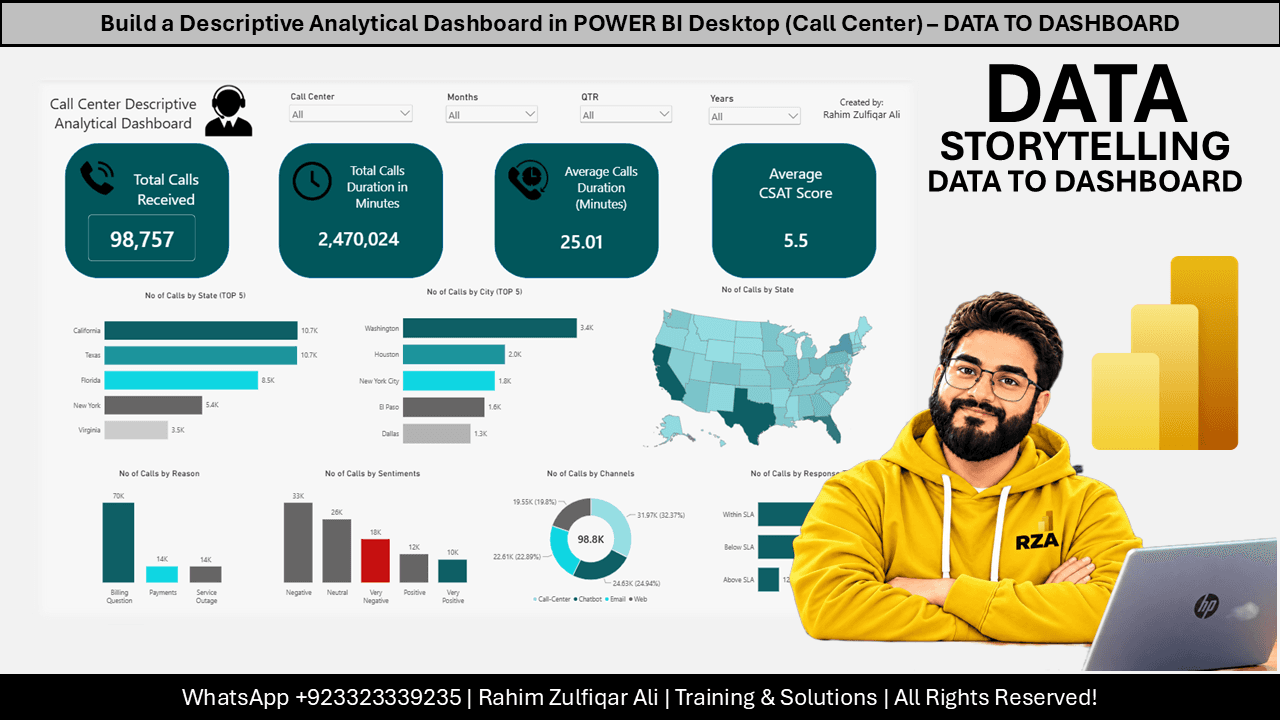
This course provides a comprehensive guide to building a descriptive analytical dashboard using Microsoft Power BI Desktop. It covers the end-to-end process of importing multiple Excel workbooks from a folder, performing data transformations using Power Query, and establishing automated workflows for future data updates. The material details how to create a data model, implement relationships between fact and dimension tables, and design a professional dashboard interface with interactive slicers and KPIs. Learners will also explore techniques for data visualization, including the use of shapes, images, and various chart types to effectively communicate business metrics like call center performance.
Topics Covered:

Data, BI & AI Transformation Leader & Consultant | Founder & CEO - Excel Basement | MVP & MCT
Data, BI & AI Transformation Leader & Consultant | Founder & CEO - Excel Basement | 2X Microsoft MVP (Excel) | 9X MCT (2016-2025) | PowerBI, Excel, Fabric, Python, SQL
Provincial regulators of CPAs in Canada do not require that independent providers of CPD be approved to offer courses. Instead, individual CPAs are responsible for assessing whether a CPD activity meets their requirements, and may take activities from any source provided those requirements are met.
Every course offered on LearnFormula is delivered by a qualified subject matter expert or learning organization, and advances learning objectives that are relevant to the responsibilities or professional competencies of Canadian CPAs. All activities on LearnFormula are quantifiable in terms of hours, and are also verifiable, in that users receive documented evidence of their attendance via a certificate of completion after finishing a course (and this certificate is stored by LearnFormula indefinitely). Nearly 100,000 Canadian CPAs successfully satisfy their CPD requirements via LearnFormula on an annual basis.
