Master the quirks and hidden behaviors of Excel to eliminate frustration, regain control of your spreadsheets, and streamline your entire workflow.
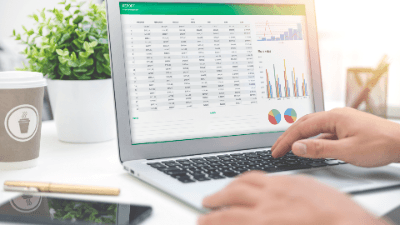
Unlock the secrets of efficient spreadsheet management with "Excel Nuances," a comprehensive course led by David Ringstrom, CPA. Even experienced users often encounter quirks and odd behaviors in Microsoft Excel that can lead to frustration or wasted time. This course focuses on those specific "foibles"—the weird behaviors that can disrupt your workflow—and teaches you how to maintain control over the software rather than letting the software push you around. By developing an awareness of these nuances, you will transform Excel from a tool that you struggle with into a powerful asset that works for you.
Throughout this training, you will explore a wide variety of hidden tools, troubleshooting techniques, and efficiency hacks. The course begins with essential disaster recovery methods, showing you how to reclaim unsaved workbooks and optimize AutoRecover settings to create a safety net for your data. You will then move into advanced navigation techniques, learning how to effectively use Split Windows versus Freeze Panes, and avoiding common traps like the Scroll Lock issue. The curriculum also covers the powerful Excel Table feature, revealing how to create self-expanding charts and efficient lists, while candidly discussing the conflicts Tables can create with other features like Custom Views.
By the end of this course, you will have mastered the following skills:
Whether you are using Excel for Windows or Mac, this course highlights specific functionality gaps and provides workarounds to ensure you can achieve your goals regardless of your operating system. Join us to refine your skills, eliminate "death by a thousand cuts" repetitive tasks, and gain a sophisticated understanding of Excel nuances.

CPA, Author, Professional Excel Spreadsheet Trainer and Consultant
David H. Ringstrom, CPA, is the author of Microsoft 365 Excel for Dummies, and a nationally recognized instructor who has taught over 2,500 live webinars. His Excel courses are based on over 30 years of consulting and teaching experience. David’s catchphrase is “Either you work Excel, or it works you,” so he focuses on what he sees users don’t, but should know about Microsoft Excel. His goal is to empower you to use Excel more effectively. David has authored or co-authored 10 books, including Exploring Microsoft Excel's Hidden Treasures, QuickBooks Online for Dummies, and Idiot's Guide to Introductory Accounting.
Provincial regulators of CPAs in Canada do not require that independent providers of CPD be approved to offer courses. Instead, individual CPAs are responsible for assessing whether a CPD activity meets their requirements, and may take activities from any source provided those requirements are met.
Every course offered on LearnFormula is delivered by a qualified subject matter expert or learning organization, and advances learning objectives that are relevant to the responsibilities or professional competencies of Canadian CPAs. All activities on LearnFormula are quantifiable in terms of hours, and are also verifiable, in that users receive documented evidence of their attendance via a certificate of completion after finishing a course (and this certificate is stored by LearnFormula indefinitely). Nearly 100,000 Canadian CPAs successfully satisfy their CPD requirements via LearnFormula on an annual basis.
