Master Excel for financial reporting. Elevate your efficiency and accuracy with expert tips and tricks, transforming how you present key financial data.
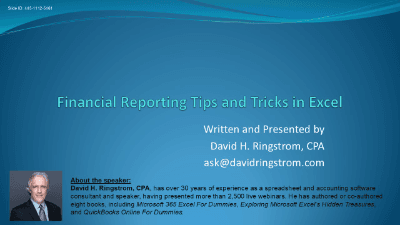
Master the art of "Financial Reporting Tips and Tricks in Excel" and revolutionize your reporting tasks. This course, led by CPA David Ringstrom, will equip you with an expanded toolbox of techniques to streamline repetitive processes and work more effectively with ongoing reports.
By the end of this presentation, you'll possess the skills to automate, standardize, and visually enhance your financial reporting, saving you countless hours and boosting your analytical capabilities.

CPA, Author, Professional Excel Spreadsheet Trainer and Consultant
David H. Ringstrom, CPA, is the author of Microsoft 365 Excel for Dummies, and a nationally recognized instructor who has taught over 2,500 live webinars. His Excel courses are based on over 30 years of consulting and teaching experience. David’s catchphrase is “Either you work Excel, or it works you,” so he focuses on what he sees users don’t, but should know about Microsoft Excel. His goal is to empower you to use Excel more effectively. David has authored or co-authored 10 books, including Exploring Microsoft Excel's Hidden Treasures, QuickBooks Online for Dummies, and Idiot's Guide to Introductory Accounting.
Provincial regulators of CPAs in Canada do not require that independent providers of CPD be approved to offer courses. Instead, individual CPAs are responsible for assessing whether a CPD activity meets their requirements, and may take activities from any source provided those requirements are met.
Every course offered on LearnFormula is delivered by a qualified subject matter expert or learning organization, and advances learning objectives that are relevant to the responsibilities or professional competencies of Canadian CPAs. All activities on LearnFormula are quantifiable in terms of hours, and are also verifiable, in that users receive documented evidence of their attendance via a certificate of completion after finishing a course (and this certificate is stored by LearnFormula indefinitely). Nearly 100,000 Canadian CPAs successfully satisfy their CPD requirements via LearnFormula on an annual basis.
