Stop wasting hours on manual spreadsheet tasks and let AI transform, clean, and analyze your data in seconds.
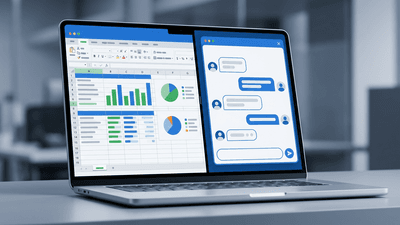
Unlock the full potential of your spreadsheets by pairing Microsoft Excel with the advanced artificial intelligence of ChatGPT. This course explores how to transform tedious data tasks into streamlined, automated workflows using AI-driven techniques.
Participants are guided through the process of utilizing ChatGPT as a dedicated virtual assistant to generate complex formulas, troubleshoot stubborn spreadsheet errors, and write custom VBA macros without needing a background in programming. The curriculum delves into the art of crafting precise prompts to extract data insights, format massive datasets, and solve intricate analytical challenges.
Designed for anyone seeking to elevate their productivity, this comprehensive overview provides the essential strategies to seamlessly merge AI capabilities with everyday Excel functions, ultimately saving hours of manual labor and enhancing data accuracy.

Technology Trainer and Instructor
Craig Brody runs Craig Brody, LLC, a software training and consulting business. Craig has trained thousands of employees, managers, executives and students in application software including Microsoft 365 and Adobe Acrobat Pro. Craig also conducts and facilitates in person and online training workshops for professionals such as those in the fields of Accounting, Business, and Law.
Provincial regulators of CPAs in Canada do not require that independent providers of CPD be approved to offer courses. Instead, individual CPAs are responsible for assessing whether a CPD activity meets their requirements, and may take activities from any source provided those requirements are met.
Every course offered on LearnFormula is delivered by a qualified subject matter expert or learning organization, and advances learning objectives that are relevant to the responsibilities or professional competencies of Canadian CPAs. All activities on LearnFormula are quantifiable in terms of hours, and are also verifiable, in that users receive documented evidence of their attendance via a certificate of completion after finishing a course (and this certificate is stored by LearnFormula indefinitely). Nearly 100,000 Canadian CPAs successfully satisfy their CPD requirements via LearnFormula on an annual basis.
